

Announcement popups: when a bar beats a modal
 Emel Dalabasmaz
An announcement popup is a timed notice, not a lead form. Use a slim bar for shipping delays, sales windows and events. Keep cookie consent in its own dialog. Google still treats full-screen promotional overlays as intrusive interstitials, especially on mobile after a search click.
What should an announcement popup actually say?
Say the fact, the window, and the next step. "Free shipping this weekend, code SHIP24, ends Sunday 23:59" is an announcement. "Join our list" is an email popup. Mixing the two trains people to close everything you show.
Useful jobs:
- a shipping delay or warehouse closure, with the new date
- a sale or flash window, with the real end time (not a fake countdown that resets)
- a webinar or event, with the timezone
- a new collection or restock, linked to the collection URL
- a legal or service notice that is not cookie consent (planned maintenance, a changed returns policy)
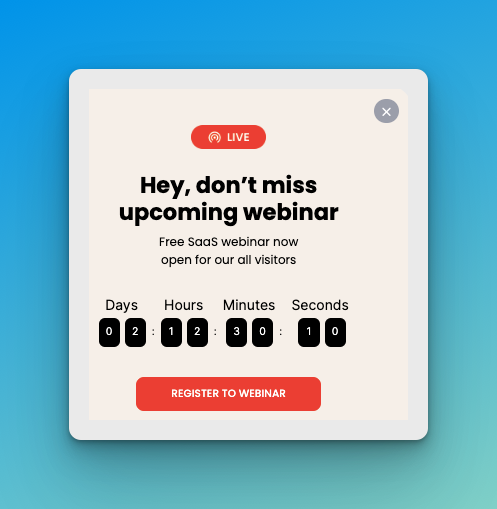
A countdown helps only if the deadline is real. If the timer restarts on every visit, skip it.
Should this be a bar, a modal, or a cookie banner?
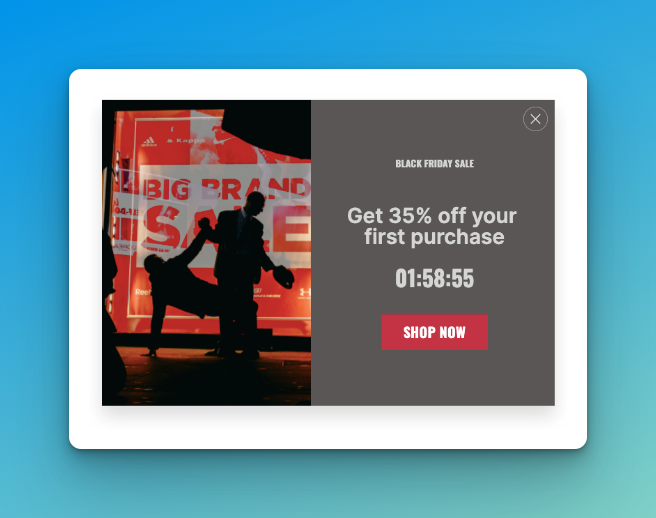
Google's Search Central guidance on intrusive interstitials (updated 10 December 2025) is blunt: do not obscure the entire page with a promotional overlay. Prefer a banner that takes a small fraction of the screen so people, and Googlebot, can reach the content they clicked for. Cookie walls and age gates are treated as mandatory exceptions. A Black Friday takeover is not.
That is why a top or bottom bar is usually the right shape for announcements. Hello Bar exists for this job. Hello Bar is best for sites that mainly need a top-of-page bar, not a campaign system. Sleeknote is a better fit when the same team also runs ecommerce promotions across several domains and cares how the notice looks on product pages.
| Notice | Shape | Where it belongs | When it dies |
|---|---|---|---|
| Shipping delay or closure | Slim bar | Sitewide, cart included | When the delay ends |
| Sale or flash window | Bar sitewide, overlay on product and cart | Storefront, never checkout | At the advertised end time |
| Webinar or event | Bar, or slide-in after scroll | Blog and the event landing page | When the session starts |
| New collection or restock | Slide-in linked to the collection | Collection and related product pages | When stock is normal again |
| Maintenance or a policy change | Bar | Sitewide, account pages included | When the work is done |
| Cookie consent | The CMP dialog, not a campaign | Every first visit | When the visitor answers |
The last row is the one that goes wrong. A consent dialog is a legal object with its own timing rules, and restyling it as brand furniture does not move it into the marketing stack.
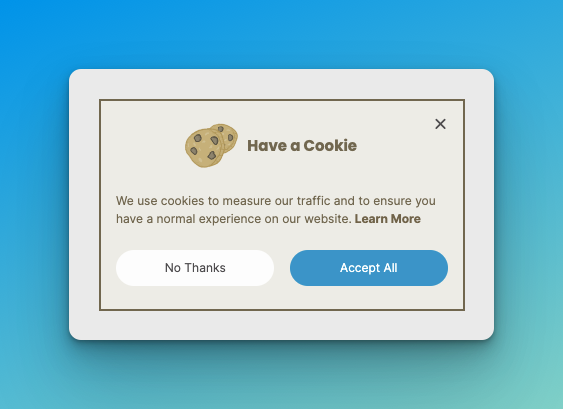
Cookie consent is a different dialog. UK PECR still requires you to tell people the cookies are there, explain what they do, and get a positive action before non-essential cookies run. That is the ICO's cookies guidance, not a marketing playbook. Do not restyle your CMP as an "announcement popup" and do not stack a sale modal on top of a consent wall on first load.
If you sell into California, a "Do Not Sell or Share My Personal Information" link is a CCPA/CPRA requirement for the sale or sharing of personal information. It is not a popup campaign either.
When should an announcement show, and how often?
Not on first paint. Let the page render, then show the bar. On mobile, a full-screen modal that fires before the visitor can read the page is the pattern Google calls out.
A working default for a storewide sale:
- Show a slim bar after 3 to 5 seconds, or after 25% scroll, not both at once.
- Cap it at once per session, and no more than once every 7 days after a close.
- Hide it on checkout, password reset and account pages.
- Stop it the hour the sale ends. Scheduled end dates beat "remember to pause it."
Wisepops is best for teams that will actually use URL, language and behaviour rules to keep a bar off the wrong pages. Popupsmart is enough if you need a bar live this afternoon and you will set the schedule by hand.
A shipping-delay bar belongs sitewide, including cart. A webinar invite belongs on the blog and the event landing page, not on checkout.
How do you keep an announcement from hurting Core Web Vitals?
Core Web Vitals in 2026 are LCP (good at 2.5s or under), INP (200ms or under; it replaced FID in March 2024) and CLS (0.1 or under). A bar that injects into the document flow after load shoves the hero down and scores as layout shift. Overlay the bar, or reserve its height in CSS before it appears.
Heavy popup scripts also compete with the main thread. If INP is already close to 200ms, adding a second on-site messaging library is a real cost. One tool, one script, loaded after the first paint.
Practical check: run the live URL through PageSpeed Insights on mobile, then trigger the bar and watch CLS. If the LCP element jumps, the bar is in the document flow. Fix the CSS before you tweak copy.
For sales copy that is really a discount offer, use a promotion popup on product and cart pages and keep the sitewide bar to the one-line fact.
Common questions
Can one bar carry two announcements at once?
No. A bar has room for one fact and one link. Rotating two messages halves the chance the reader sees the one that matters, and a bar tall enough for two lines starts behaving like the overlay you were avoiding. If both notices are genuinely live, put the operational one in the bar and the promotional one on the pages it applies to.
Should an announcement bar be dismissible?
Yes, with one exception. Give every promotional bar a close control and remember the choice for at least seven days. A service notice people need in order to complete an order — a delivery cutoff, a payment outage — can stay for the session, because dismissing it does not make it untrue.
Does a countdown timer make an announcement work harder?
Only when the deadline is real and shared. A timer counting to a published end datetime is a fact. A timer that restarts on every visit is a fabrication the visitor can catch by opening a private window, and it costs you the trust that made the notice worth reading.
Where should the bar sit — top or bottom?
Top on desktop, bottom on phones. A top bar on mobile competes with the browser chrome and the site header for the first viewport, which is the part of the page LCP is measured on. A bottom bar sits near the thumb and leaves the hero intact.
Which builder fits announcement popups
The tools this page argues for, best fit first, with the entry price and billing basis taken from each vendor’s own pricing page.
| Tool | Best for this job | Free tier | Starts at | Metered on |
|---|---|---|---|---|
| Hello Bar | A one-line notice at the top of the page | Free plan | $39Growth, per month, billed annually | Displayed popup views |
| Wisepops | URL, language and behaviour rules to keep a bar off the wrong pages | Free trial only | Not publishedNo figure on the vendor's page | Monthly pageviews |
| Sleeknote | Store promotions across several domains, on brand | Free trial only | $69Core (0–25,000 monthly visitors), per month | Monthly visitors |
| Popupsmart | A scheduled bar live the same afternoon | Free plan | $32.50Basic, per month, billed annually | Monthly pageviews |
Prices researched August 2026. Several tools charge a different rate after the first term; each tool’s own pricing breakdown carries the renewal figure. Where these numbers come from is set out below.
How this page was researched
- Prices come from the vendor, on a date
- The 4 figures in the table above were read from each vendor’s own pricing page in August 2026, not from a feature feed or a comparison chart. Each tool’s pricing breakdown links the page the number came from and states the date it was checked, so a figure that has since moved is visible as stale rather than presented as current.
- Review sentiment is quoted, not scored
- G2’s own summary was collected for Popupsmart in August 2026. Hello Bar, Wisepops and Sleeknote have no such summary on G2, so they appear here without one rather than with a rating we made up. No page on this site prints a star score, because a single number hides the trade-off the comparison exists to explain.
- Every figure names its source
- Conversion and abandonment numbers on this page are vendor and institute datasets with the publisher, the sample size and the publication date attached, so you can weigh who measured them. Where two datasets disagree, both are shown rather than averaged into one comfortable figure.
- Who wrote it
- Emel Dalabasmaz, SEO Executive at Flatart, working in popup builders, conversion rate optimization and on-site messaging. Full profile and credentials, and what this site is and is not.
Other popup types
About the author

SEO Executive at Flatart
Emel Dalabasmaz graduated in Advertising and Public Relations from Anadolu University. She began in social media and carried that grounding — content, brand communication and performance — into SEO. For more than ten years she has worked on growth for brands across a range of industries, pairing a communications perspective with data and technical analysis to build a digital presence that holds up over time. At Flatart, she has worked for more than ten years with over 250 brands and set up popups for more than 70% of them. She has tried the popup tools covered by PopupBuilder.io for agency customers and read G2 customer reviews as part of her product research.
- Education
- Advertising and Public Relations, Anadolu University
- Writes about
- Popup builders, Conversion rate optimization, On-site messaging, SaaS pricing research, SEO, Technical SEO, Content strategy, Digital marketing