

How to Set up Your First Shortcut on Sumo?
 Emel Dalabasmaz
Archival steps (Sumo Shortcuts)
Shortcuts were canned recipes in the Sumo launcher: several forms at once for list growth or cart recovery.
1. Log in to your Sumo account on the website.
2. Open the Shortcuts section on the launcher's left-hand side.
3. Click Create New Shortcut.
4. Select a Shortcut, then click Create Shortcut.
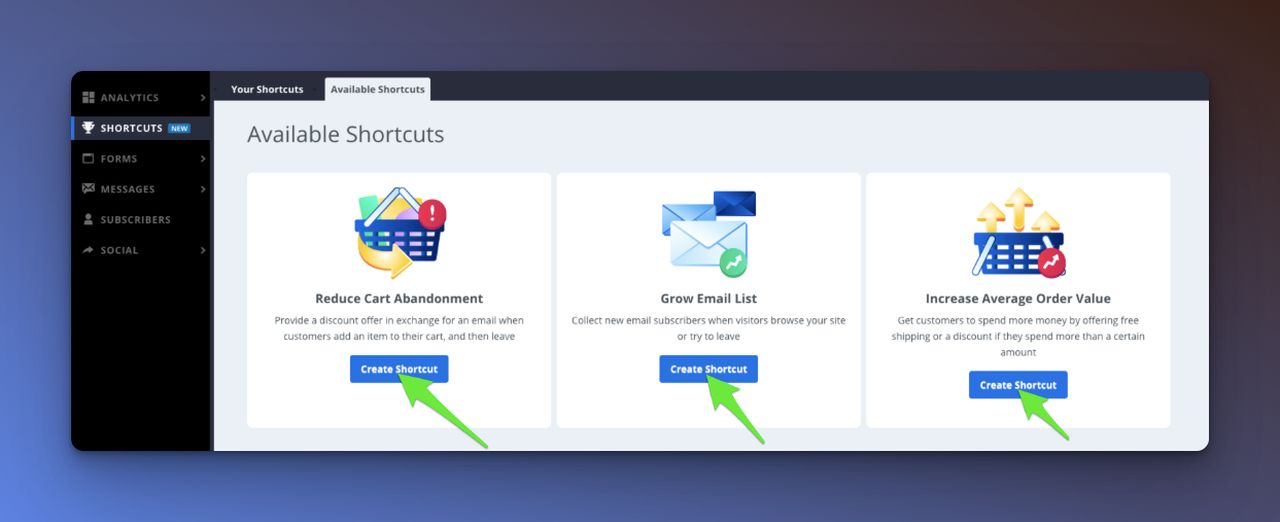
5. Follow the editor to configure it.
6. Click Done to publish.
If Shortcuts is missing from your BDOW login, that is expected. Build the campaign as a form in the current editor, or move to a living popup tool. Ranked options: Sumo alternatives.
Written and reviewed by

SEO Executive at Flatart
Emel Dalabasmaz graduated in Advertising and Public Relations from Anadolu University. She began in social media and carried that grounding — content, brand communication and performance — into SEO. For more than ten years she has worked on growth for brands across a range of industries, pairing a communications perspective with data and technical analysis to build a digital presence that holds up over time.
- Education
- Advertising and Public Relations, Anadolu University
- Writes about
- Popup builders, Conversion rate optimization, On-site messaging, SaaS pricing research, SEO, Technical SEO, Content strategy, Digital marketing